
Dear Fellow Designers: Why Notion Mail Is a Game-Changer for Project Management
Interior design isn’t just about creating beautiful spaces—it’s about bringing visions to life while juggling budgets, timelines, and project scopes. As a project management consultant, I understand the challenge of paying attention to every detail. It is also tough to keep things on track while multitasking. That’s why I want to share with you an incredible tool that has transformed my workflow: Notion Mail.
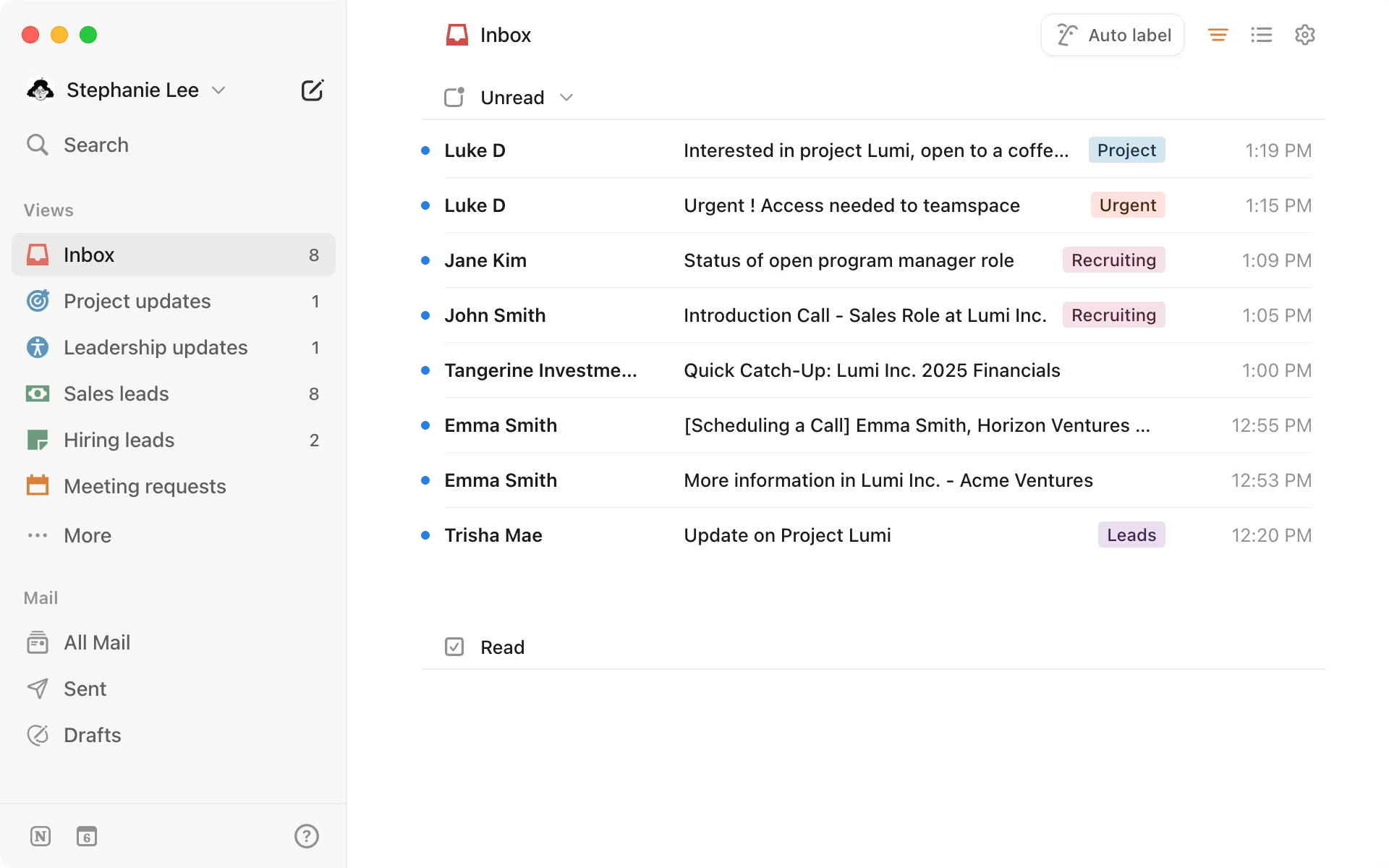
My Experience with Notion Mail
Notion Mail isn’t just another email app—it’s like having a personal assistant right inside my project management workspace. It brings all my project-related communication into one place. This eliminates the constant switching between email threads and task lists. For me, that means less stress and more time to focus on creating amazing designs.

Here are some ways Notion Mail has made my life easier, and I think it can do the same for you:
- Centralized Communication: Have you ever lost track of an important client email? I certainly have! But now, I can link email threads directly to my design projects within Notion. Every conversation stays connected to tasks, timelines, and deliverables, so nothing falls through the cracks.
- Turning Emails into Action: One of my favorite features is the ability to convert emails into actionable tasks. These tasks include creating to-dos or assigning deadlines to my team members. It’s incredibly practical, especially when managing multiple projects.
- Collaboration Made Easy: Interior design is a team effort—whether it’s brainstorming with colleagues or coordinating with contractors. With Notion Mail, I can instantly share email updates and insights with my team, keeping everyone on the same page.
- Keeping Everything in Sync: I love how seamlessly Notion Mail integrates with project plans and timelines. It ensures that my budgets, schedules, and client feedback are all aligned. No more surprises or missed deadlines!
Why I Believe You’ll Love Notion Mail
Interior design professionals need tools that simplify complexity and allow us to focus on our craft. With Notion Mail, you can reclaim your time and energy. Imagine handling last-minute design changes or updating schedules without leaving your workspace—it’s like having everything at your fingertips.

Extra Features That Make Notion Mail Stand Out
- Templates for Recurring Emails: If you often send similar emails—like client updates or supplier inquiries—you’ll love Notion Mail’s template feature. It lets you create and reuse email formats, saving time and ensuring consistency in your communication.
- Notion AI; Your Inbox Assistant: Notion AI is a lifesaver when it comes to managing emails. It can help you craft professional responses, auto-label and filter incoming emails, and even rank what needs your attention most. It’s like having a virtual assistant who knows exactly how you work.
- Integration with Notion Calendar: Scheduling meetings has never been easier. Notion Mail integrates seamlessly with Notion Calendar. It lets you check your schedule. You can share scheduling links directly from your inbox. This feature ensures that your emails and calendar are always in sync, making project coordination a breeze.

A Small Drawback
While Notion Mail is packed with features, it now only supports Gmail accounts. This limitation is a drawback for those using other email providers. Nonetheless, I’m hopeful that support for more platforms will be introduced in the future.
Ready to Get Started?
If you’re curious to try Notion Mail, it’s easy to get started. I recommend checking out Notion’s official guide. It walks you through everything you need to know.
Let’s Build a Community
As designers, we thrive when we share ideas, tools, and solutions that make our work better. Notion Mail is one of those solutions I truly believe in. It can empower us to be creative. This happens without sacrificing control over our projects. Let’s continue to learn, grow, and inspire one another.


Leave a Reply